Docker for Production: Complete Guide to Containerizing Web Applications
Learn how to containerize web applications for production with Docker. Covers multi-stage builds, security best practices, orchestration, and CI/CD integration.
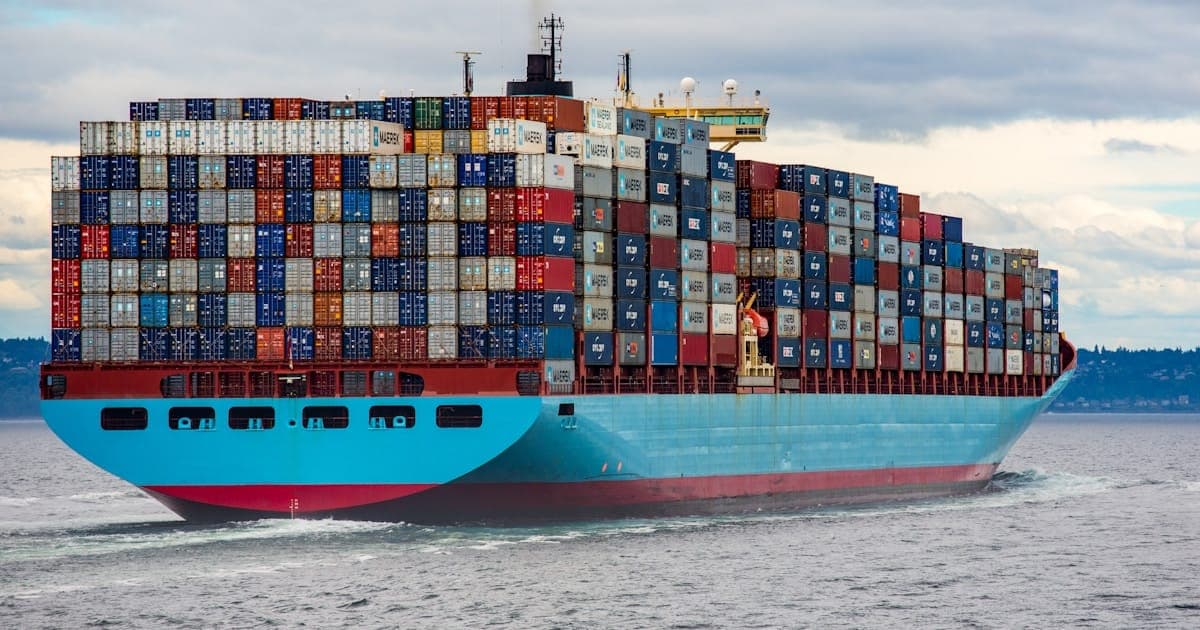
Docker has revolutionized how we deploy applications. This comprehensive guide covers everything from basic containerization to production-ready deployments with security best practices and orchestration strategies.
Understanding Docker Architecture#
Before diving into production configurations, understand Docker's core components:
- Docker Engine - The runtime that builds and runs containers
- Images - Read-only templates containing application code and dependencies
- Containers - Running instances of images
- Volumes - Persistent data storage
- Networks - Communication between containers
Containers share the host OS kernel, making them lightweight compared to virtual machines while providing process isolation.
Multi-Stage Builds for Production#
Multi-stage builds create smaller, more secure production images:
Node.js Application#
# Stage 1: Dependencies
FROM node:20-alpine AS deps
WORKDIR /app
COPY package*.json ./
RUN npm ci --only=production

# Stage 2: Build
FROM node:20-alpine AS builder
WORKDIR /app
COPY package*.json ./
RUN npm ci
COPY . .
RUN npm run build

# Stage 3: Production
FROM node:20-alpine AS runner
WORKDIR /app

ENV NODE_ENV=production

# Create non-root user
RUN addgroup --system --gid 1001 nodejs
RUN adduser --system --uid 1001 nextjs

# Copy only necessary files
COPY --from=deps /app/node_modules ./node_modules
COPY --from=builder /app/dist ./dist
COPY --from=builder /app/package.json ./

USER nextjs

EXPOSE 3000

CMD ["node", "dist/main.js"]
PHP/Laravel Application#
# Stage 1: Composer dependencies
FROM composer:2 AS vendor
WORKDIR /app
COPY composer.json composer.lock ./
RUN composer install \
    --no-dev \
    --no-scripts \
    --no-autoloader \
    --prefer-dist

COPY . .
RUN composer dump-autoload --optimize

# Stage 2: Frontend assets
FROM node:20-alpine AS frontend
WORKDIR /app
COPY package*.json ./
RUN npm ci
COPY . .
RUN npm run build

# Stage 3: Production image
FROM php:8.3-fpm-alpine AS production

# Install PHP extensions
RUN apk add --no-cache \
    libpng-dev \
    libzip-dev \
    && docker-php-ext-install \
    pdo_mysql \
    gd \
    zip \
    opcache

# Configure OPcache for production
RUN echo "opcache.enable=1" >> /usr/local/etc/php/conf.d/opcache.ini \
    && echo "opcache.memory_consumption=256" >> /usr/local/etc/php/conf.d/opcache.ini \
    && echo "opcache.max_accelerated_files=20000" >> /usr/local/etc/php/conf.d/opcache.ini \
    && echo "opcache.validate_timestamps=0" >> /usr/local/etc/php/conf.d/opcache.ini

WORKDIR /var/www/html

# Copy application
COPY --from=vendor /app/vendor ./vendor
COPY --from=frontend /app/public/build ./public/build
COPY . .

# Set permissions
RUN chown -R www-data:www-data storage bootstrap/cache

USER www-data

EXPOSE 9000

CMD ["php-fpm"]Docker Compose for Development#
Create a complete development environment:
# docker-compose.yml
version: '3.8'

services:
  app:
    build:
      context: .
      dockerfile: Dockerfile.dev
    volumes:
      - .:/app
      - /app/node_modules
    ports:
      - "3000:3000"
    environment:
      - NODE_ENV=development
      - DATABASE_URL=postgresql://postgres:password@db:5432/myapp
      - REDIS_URL=redis://redis:6379
    depends_on:
      - db
      - redis

  db:
    image: postgres:16-alpine
    volumes:
      - postgres_data:/var/lib/postgresql/data
    environment:
      POSTGRES_USER: postgres
      POSTGRES_PASSWORD: password
      POSTGRES_DB: myapp
    ports:
      - "5432:5432"

  redis:
    image: redis:7-alpine
    volumes:
      - redis_data:/data
    ports:
      - "6379:6379"

  nginx:
    image: nginx:alpine
    volumes:
      - ./nginx.conf:/etc/nginx/nginx.conf:ro
    ports:
      - "80:80"
    depends_on:
      - app

volumes:
  postgres_data:
  redis_data:
Production Docker Compose#
# docker-compose.prod.yml
version: '3.8'

services:
  app:
    image: ${REGISTRY}/myapp:${TAG:-latest}
    deploy:
      replicas: 3
      resources:
        limits:
          cpus: '0.5'
          memory: 512M
        reservations:
          cpus: '0.25'
          memory: 256M
      restart_policy:
        condition: on-failure
        delay: 5s
        max_attempts: 3
    environment:
      - NODE_ENV=production
      - DATABASE_URL=${DATABASE_URL}
      - REDIS_URL=${REDIS_URL}
    healthcheck:
      test: ["CMD", "curl", "-f", "http://localhost:3000/health"]
      interval: 30s
      timeout: 10s
      retries: 3
      start_period: 40s
    networks:
      - app-network
    logging:
      driver: "json-file"
      options:
        max-size: "10m"
        max-file: "3"

  nginx:
    image: nginx:alpine
    ports:
      - "80:80"
      - "443:443"
    volumes:
      - ./nginx.prod.conf:/etc/nginx/nginx.conf:ro
      - ./ssl:/etc/nginx/ssl:ro
    depends_on:
      - app
    networks:
      - app-network

networks:
  app-network:
    driver: overlay
Security Best Practices#
Scanning Images for Vulnerabilities#
# Using Docker Scout
docker scout cves myapp:latest

# Using Trivy
trivy image myapp:latest

# Using Snyk
snyk container test myapp:latest
Secure Dockerfile Practices#
# Use specific version tags, not 'latest'
FROM node:20.10.0-alpine3.18

# Don't store secrets in images
# Use build arguments for build-time secrets
ARG NPM_TOKEN
RUN echo "//registry.npmjs.org/:_authToken=${NPM_TOKEN}" > .npmrc \
    && npm ci \
    && rm .npmrc

# Use COPY instead of ADD (ADD can fetch remote URLs)
COPY package*.json ./

# Set proper file permissions
RUN chmod -R 755 /app

# Use read-only root filesystem where possible
# (configure in docker-compose or runtime)

# Don't run as root
USER node

# Use HEALTHCHECK
HEALTHCHECK --interval=30s --timeout=3s \
  CMD curl -f http://localhost:3000/health || exit 1
Runtime Security#
# docker-compose.secure.yml
services:
  app:
    image: myapp:latest
    security_opt:
      - no-new-privileges:true
    read_only: true
    tmpfs:
      - /tmp
      - /var/run
    cap_drop:
      - ALL
    cap_add:
      - NET_BIND_SERVICE
Container Networking#
Custom Bridge Networks#
version: '3.8'

services:
  frontend:
    networks:
      - frontend-network
      - backend-network

  api:
    networks:
      - backend-network
      - database-network

  database:
    networks:
      - database-network

networks:
  frontend-network:
    driver: bridge
  backend-network:
    driver: bridge
    internal: true  # No external access
  database-network:
    driver: bridge
    internal: true
Logging and Monitoring#
Centralized Logging with ELK Stack#
version: '3.8'

services:
  app:
    logging:
      driver: gelf
      options:
        gelf-address: "udp://logstash:12201"
        tag: "myapp"

  elasticsearch:
    image: elasticsearch:8.11.0
    environment:
      - discovery.type=single-node
      - xpack.security.enabled=false
    volumes:
      - elasticsearch_data:/usr/share/elasticsearch/data

  logstash:
    image: logstash:8.11.0
    volumes:
      - ./logstash.conf:/usr/share/logstash/pipeline/logstash.conf
    ports:
      - "12201:12201/udp"

  kibana:
    image: kibana:8.11.0
    ports:
      - "5601:5601"
    environment:
      - ELASTICSEARCH_HOSTS=http://elasticsearch:9200

volumes:
  elasticsearch_data:
Prometheus Metrics#
# prometheus.yml
global:
  scrape_interval: 15s

scrape_configs:
  - job_name: 'docker'
    static_configs:
      - targets: ['cadvisor:8080']

  - job_name: 'app'
    static_configs:
      - targets: ['app:3000']
    metrics_path: '/metrics'
CI/CD Integration#
GitHub Actions Pipeline#
# .github/workflows/docker.yml
name: Build and Deploy

on:
  push:
    branches: [main]
  pull_request:
    branches: [main]

env:
  REGISTRY: ghcr.io
  IMAGE_NAME: ${{ github.repository }}

jobs:
  build:
    runs-on: ubuntu-latest
    permissions:
      contents: read
      packages: write

    steps:
      - uses: actions/checkout@v4

      - name: Set up Docker Buildx
        uses: docker/setup-buildx-action@v3

      - name: Log in to Container Registry
        uses: docker/login-action@v3
        with:
          registry: ${{ env.REGISTRY }}
          username: ${{ github.actor }}
          password: ${{ secrets.GITHUB_TOKEN }}

      - name: Extract metadata
        id: meta
        uses: docker/metadata-action@v5
        with:
          images: ${{ env.REGISTRY }}/${{ env.IMAGE_NAME }}
          tags: |
            type=sha,prefix=
            type=ref,event=branch
            type=semver,pattern={{version}}

      - name: Build and push
        uses: docker/build-push-action@v5
        with:
          context: .
          push: ${{ github.event_name != 'pull_request' }}
          tags: ${{ steps.meta.outputs.tags }}
          labels: ${{ steps.meta.outputs.labels }}
          cache-from: type=gha
          cache-to: type=gha,mode=max

      - name: Scan for vulnerabilities
        uses: aquasecurity/trivy-action@master
        with:
          image-ref: ${{ env.REGISTRY }}/${{ env.IMAGE_NAME }}:${{ github.sha }}
          format: 'sarif'
          output: 'trivy-results.sarif'

  deploy:
    needs: build
    runs-on: ubuntu-latest
    if: github.ref == 'refs/heads/main'

    steps:
      - name: Deploy to production
        uses: appleboy/ssh-action@v1.0.0
        with:
          host: ${{ secrets.PROD_HOST }}
          username: ${{ secrets.PROD_USER }}
          key: ${{ secrets.PROD_SSH_KEY }}
          script: |
            cd /opt/myapp
            docker compose pull
            docker compose up -d --remove-orphans
            docker image prune -f
Performance Optimization#
Build Cache Optimization#
# Order layers from least to most frequently changed
FROM node:20-alpine

WORKDIR /app

# System dependencies (rarely change)
RUN apk add --no-cache dumb-init

# Package files (change occasionally)
COPY package*.json ./
RUN npm ci --only=production

# Application code (changes frequently)
COPY . .

ENTRYPOINT ["dumb-init", "--"]
CMD ["node", "dist/main.js"]
Resource Limits#
services:
  app:
    deploy:
      resources:
        limits:
          cpus: '1.0'
          memory: 1G
        reservations:
          cpus: '0.5'
memory: 512MConclusion#
Docker enables consistent, reproducible deployments across environments. By following these production best practices—multi-stage builds, security hardening, proper networking, and CI/CD integration—you can build robust containerized applications ready for scale.
Key takeaways:
- Use multi-stage builds for smaller, secure images
- Never run containers as root in production
- Implement health checks and resource limits
- Scan images for vulnerabilities regularly
- Use proper logging and monitoring